Escrow
Protected Tebex delivery for production servers. Best for quick installation and secure releases.
Choose EscrowSelect the version that fits your server. If a matching version exists in the catalogue, the button will take you directly to it.
Protected Tebex delivery for production servers. Best for quick installation and secure releases.
Choose EscrowFull source access for deeper customization, edits, and custom integrations on your RedM server.
Choose Open Source
Hello everyone,
I'm excited to share a new, free resource for the VORP community: an Advanced Business Rental System. This script allows players on your server to rent and manage pre-configured businesses for a set period, fully integrating with the VORP job system.
Players can interact with an NPC at a business location to rent, renew their lease, or leave the business using either standard money or gold. The system is designed to be highly configurable and easy to translate.
EASY MENU DESIGN
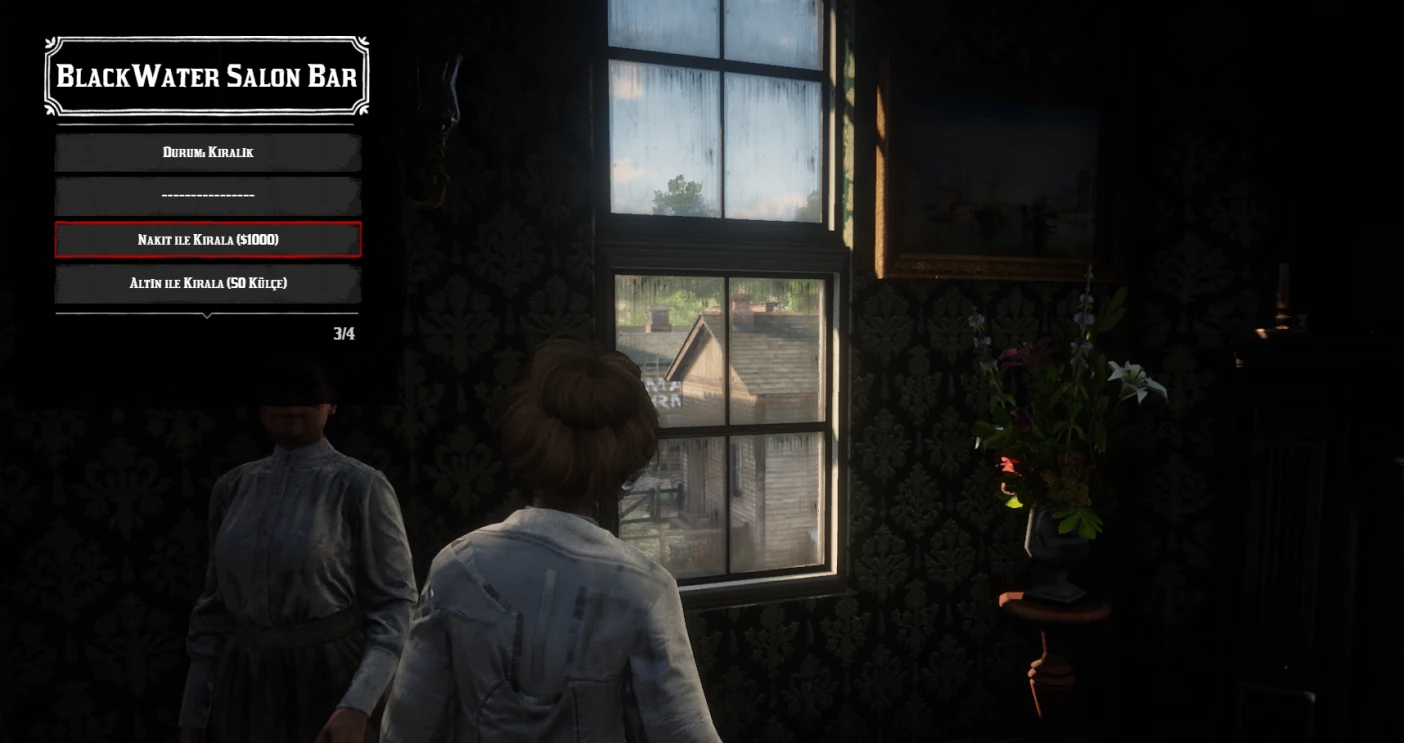
Rent, Renew & Leave: Players can rent an available business, renew their existing lease for another 30 days, or choose to leave their business.
Dual Currency Support: Configure businesses to be rentable with in-game money or gold bars/nuggets.
Automatic Job Assignment: When a player rents a business, they are automatically assigned the corresponding job and grade that you define in the config.
Dynamic NPC Spawning: NPCs for each business only spawn when a player is nearby, saving server resources.
Lease Expiration System: The script automatically checks for expired leases, removes the business from the player, and sets their job back to a default (e.g., 'unemployed').
Detailed Discord Logging: Keep track of all business activities with detailed webhook logs for when a business is rented, renewed, left, or expires.
Easy Configuration: A single, clean config.lua file allows you to:
Add unlimited businesses with unique settings (price, job, NPC model, coordinates).
Set the language (en or tr by default).
Configure blips, interaction distances, and more.
Localization Ready: The script is fully localized with English and Turkish files included. Adding new languages is as simple as creating a new language file.
Map Blips: Every business is shown on the map with a configurable blip.
Unzip the folder and place it in your resources directory.
Import the owned_businesses.sql file into your server's database. This will create the required table.
Open config.lua and add your businesses, set your Discord webhook URL, and choose your preferred language.
Add ensure your-resource-name to your server.cfg file.
Restart your server.


